VNEngine
A downloadable VNEngine



A small, code-first visual novel engine. You write your novel as a JavaScript array of "ops"; the engine plays it. No build step, no framework, no runtime dependencies in the engine itself — four plain JavaScript files, one stylesheet, one HTML page.
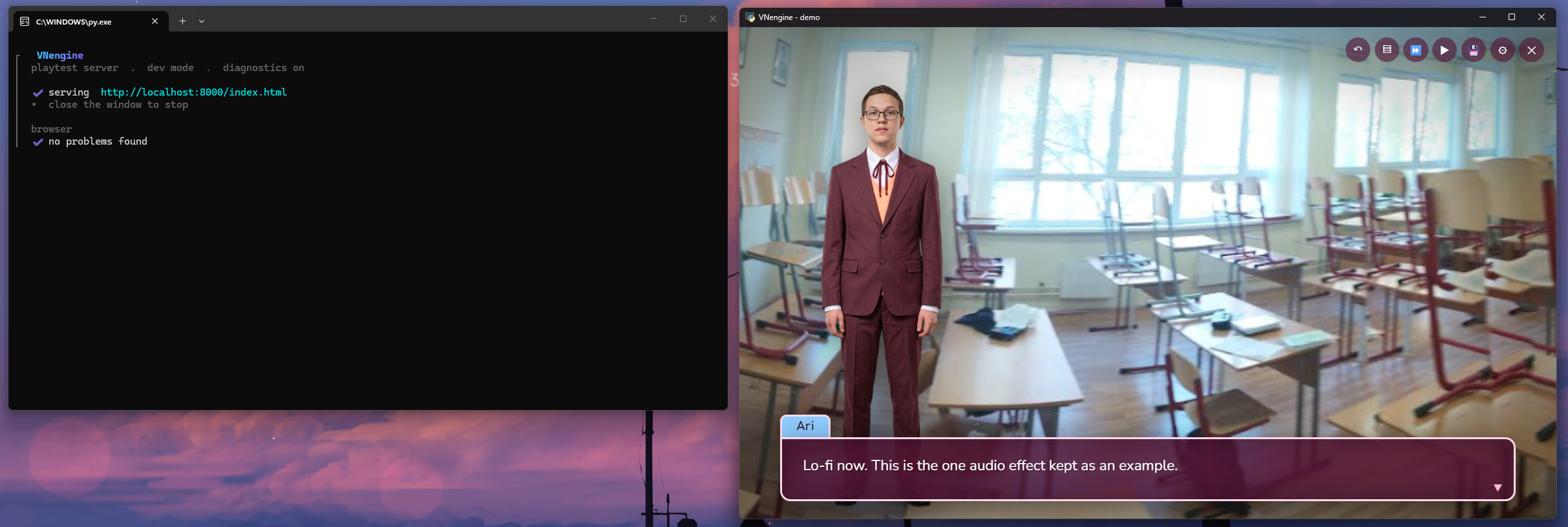
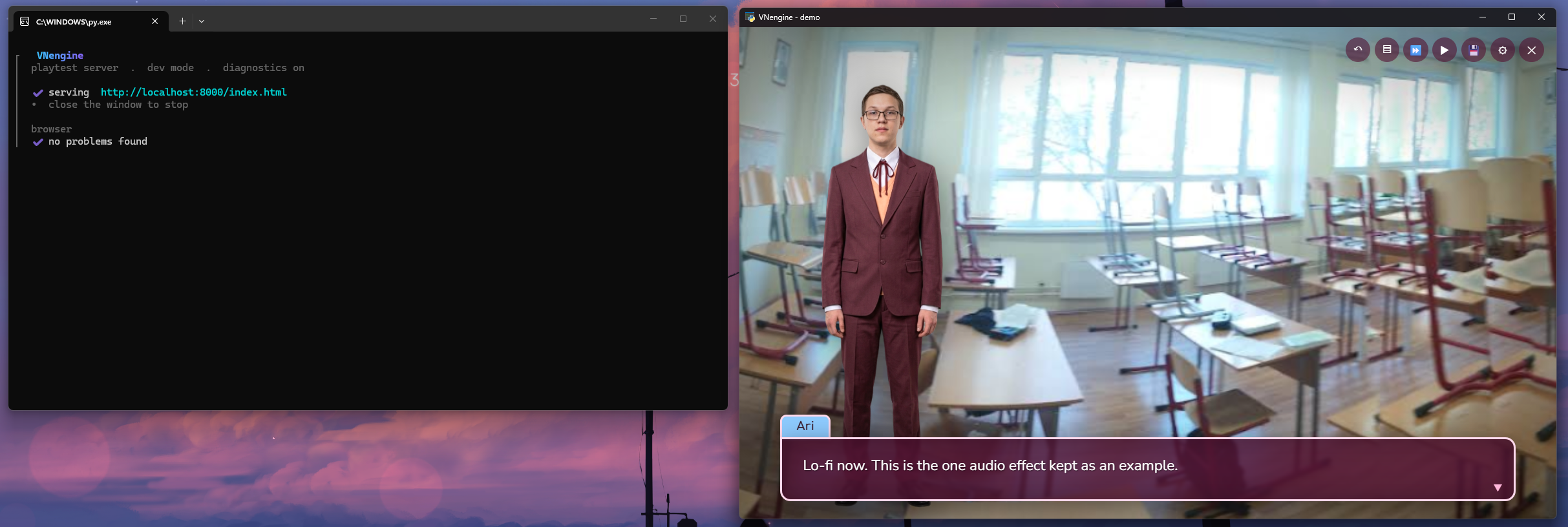
playtest — native window on the right, live diagnostics on the left.
It's the runtime, not the game — like an engine rather than a finished title.
Every project starts as a copy of the engine plus a tiny worked demo, so you
can see every feature running, then replace the demo with your own script.
It is not "just a web page." You build with it and ship with it as a
desktop app: playtest and every packaged build open the game in its own
native window (no browser chrome, no address bar, no tab), backed by a
tiny local server that shuts itself down when you close the window. The web
platform is the rendering layer, not the delivery.
Features
Scripting — typewriter text with tokens ({first} / {last} / {name} /
{anyVar}) and [b] / [i] / [c=…] markup; label / jump / if /
choice branching with conditional options and variables; set arithmetic.
Presentation — background crossfades; diffed expression sprites with a graceful labelled-placeholder fallback when art is missing; screen shake and flash (gated by a setting).
Audio — a synthesized sound-effect palette (16 built-in sounds, no files
needed) plus music with crossfade, ducking and a lo-fi band-pass effect;
per-line voice clips. js/audio.js is self-contained and reusable on its own.
Player features — rollback (50-line buffer), a backlog / history overlay, skip (stops at choices) and auto-advance, a settings overlay, a name-entry screen, an auto-save plus up to 30 named checkpoints that survive script edits (position is anchored to the nearest label + a script hash; a stale save shows a recovery prompt instead of breaking).
In-world UI — confirmations ("erase save?", "return to menu?") are themed
in-engine modals, not browser confirm() dialogs, so nothing ever reads
"localhost:8000 says".
Authoring aids — a boot-time script validator (unknown jump / choice
targets, duplicate labels, unrecognised characters or sfx, unreachable ops,
each with its op index) that reports into the playtest terminal, not
just the browser console.
Theming — everything reskins from the :root custom properties at the top
of css/style.css; fonts are bundled as woff2 (no CDN, nothing fetched from
the network); localStorage for all persistence.
How it works
Three pieces, each replaceable:
| piece | what it is | where |
|---|---|---|
| the engine | vanilla JS/CSS/HTML — reads VNData (assets), VNScript (your ops), optional VNAudio; drives the DOM in index.html | template/ → copied into every project |
playtest.py | a pure-stdlib static server and the launcher: opens the native window, streams diagnostics, stops on window close | project root; frozen into <Project>.exe at package time |
| the packager | freezes playtest.py and zips the assets into one shippable folder | tools/projectpackager-windows |
The window. playtest.py opens the game with
pywebview (WebView2 on Windows) and runs
the HTTP server on a background thread. Close the window → the server thread
is shut down and the process exits. VN_NO_BROWSER=1 serves headlessly
(Ctrl+C to stop); if pywebview isn't installed it falls back to opening your
default browser.
Diagnostics in the terminal. Whenever playtest.py has a console to print
to — running from source, or a development build — it injects a ~60-line dev
shim (tools/devlog.js) into index.html as it serves it. The shim forwards
console.*, uncaught errors and failed image/audio loads back to a
/__vn/log endpoint, which playtest.py renders in the terminal (errors in
red, warnings amber, a single green "no problems found" on a clean boot). The
shim is never referenced by index.html and never reaches a shipping
build; the real F12 console still works if you want it.
What a packaged game does. <Project>.exe finds the lone .pak beside
it, reads index.html + css/ + js/ + src/ + project.json out of it
into memory, serves them from 127.0.0.1 on the first free port, opens the
native window (titled from project.json), and shuts down on close. The
player installs nothing.
Get started
Download (Windows). Grab VNEngine-Dist.zip from the
Releases page, extract it, run setup.exe.
From source. Plain Python, open source:
python setup.py
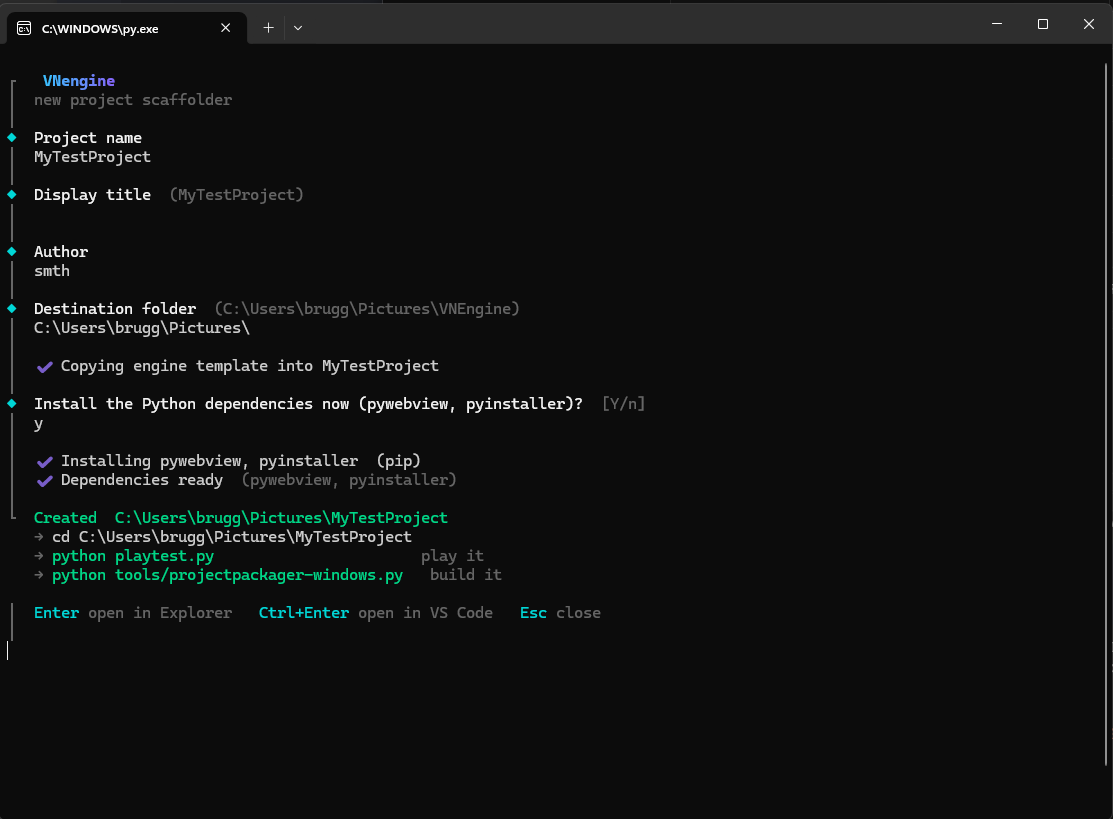
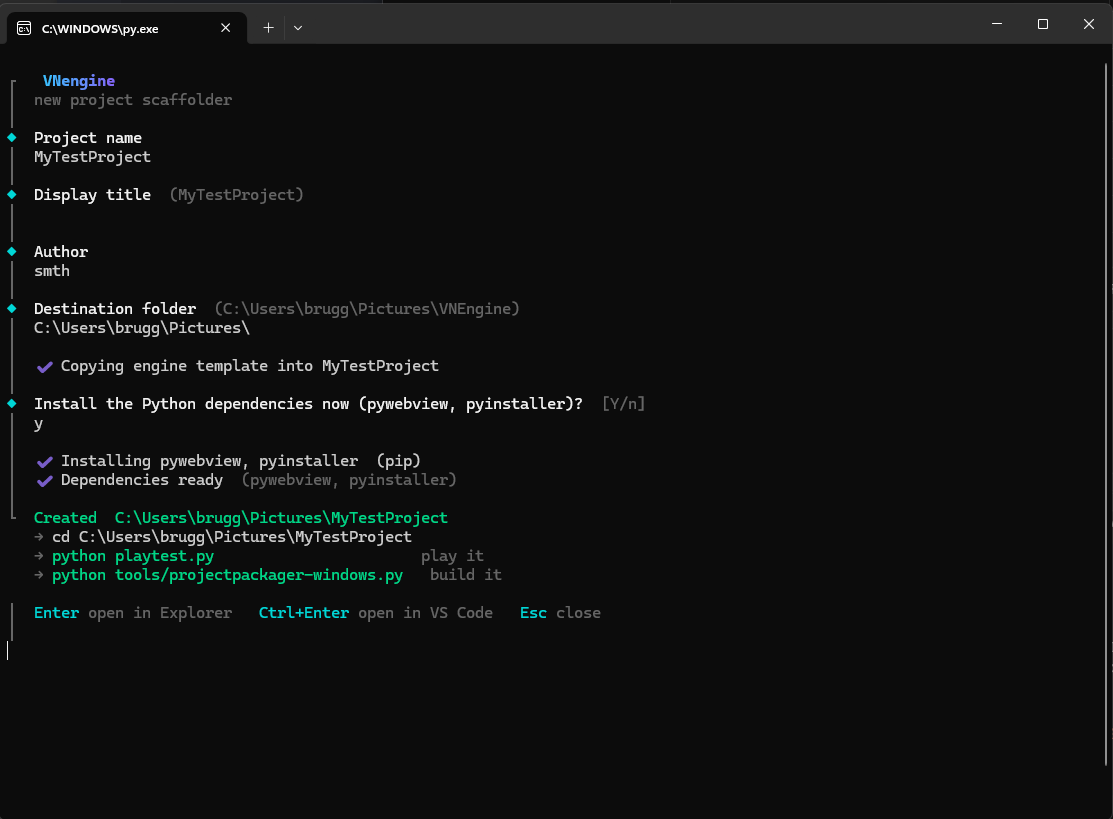
Either way you answer a few prompts (name, title, author, destination).
setup copies the engine, writes project.json, and offers to
pip install the two packages a project needs:
pywebview— the native play/ship windowpyinstaller— freezes the runtime when you package
You get a project folder — your own copy of the engine, ready to edit, like a fresh Unity or Unreal project.
setup.py prompting for project detailsPlay it while you build
cd <YourProject>
playtest            # or:  python playtest.py
Opens the game in a native window; edit js/story.js / js/data.js, reload
(the server sends no-store, so there's no cache to bust), repeat. The
terminal shows the boot-time script check and any runtime errors. Closing the
window stops the server.
You can still just double-click index.html — everything works from
file:// including saves; the server only makes audio decoding more reliable
and adds the terminal diagnostics.
Ship a distributable
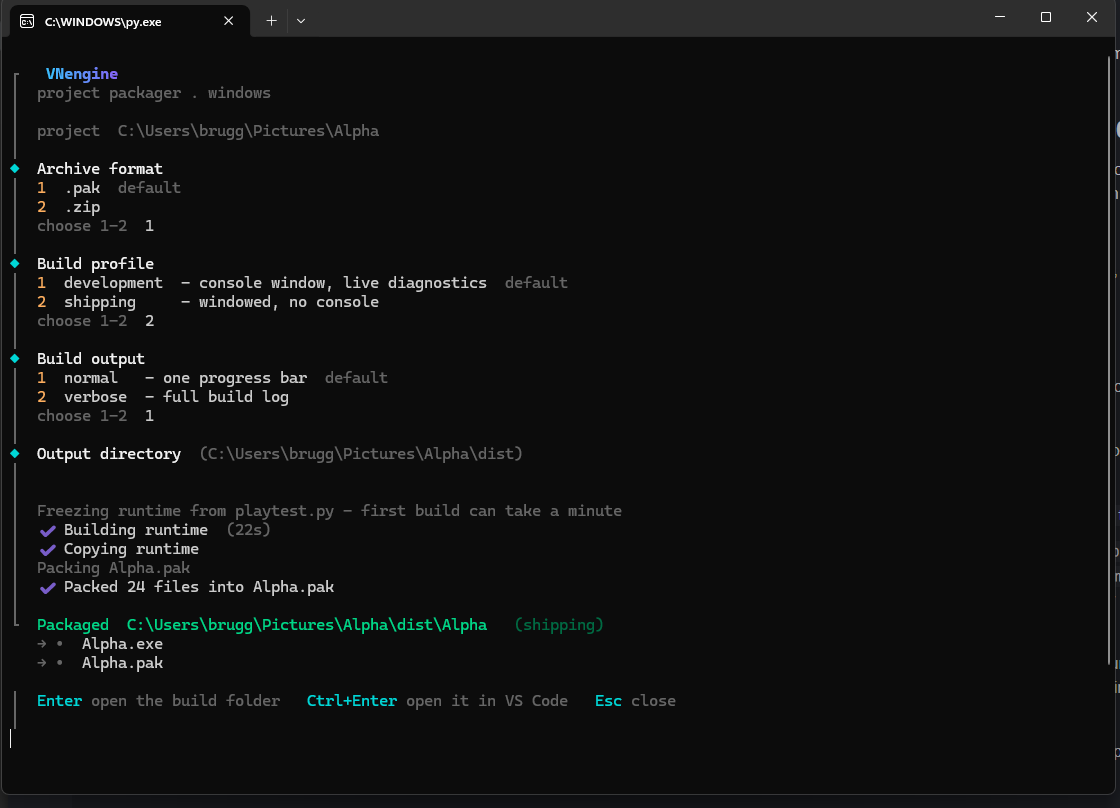
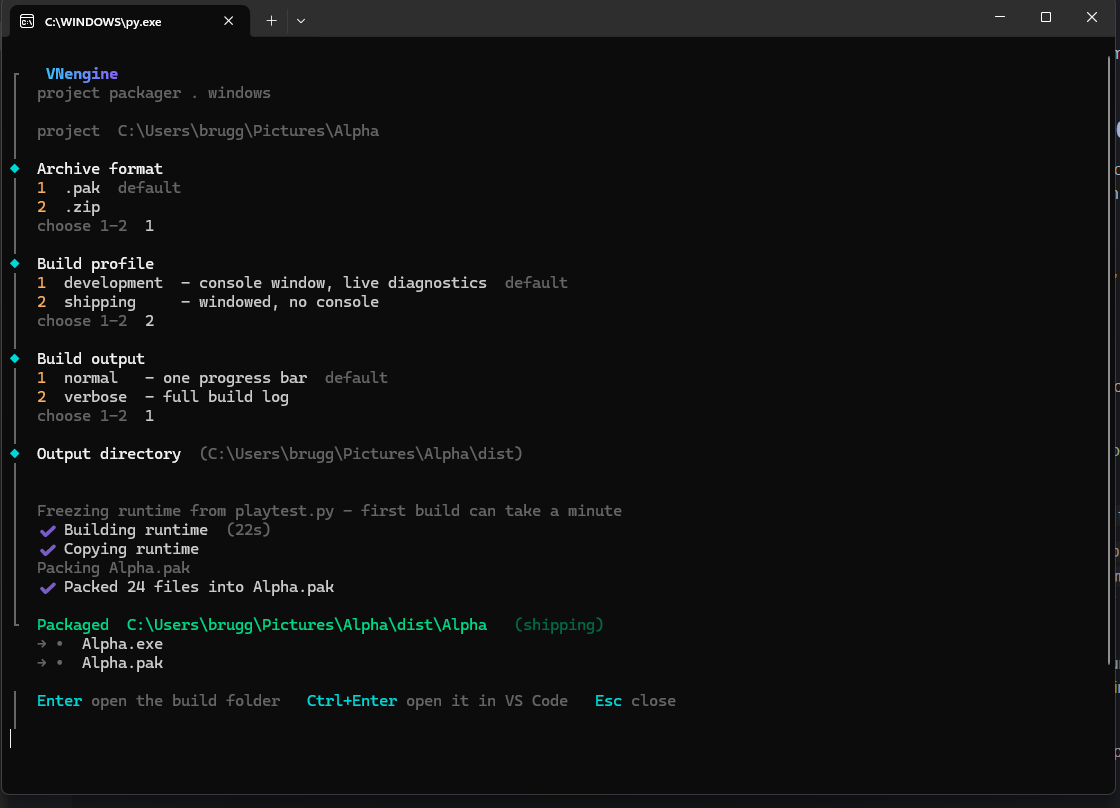
From the project folder run the packager — projectpackager-windows.exe in
tools/ (or python tools/projectpackager-windows.py). It asks for an
archive format, a build profile, and an output folder, then produces:
<output>/<Project>/
    <Project>.exe     the game — a self-contained local runtime
    <Project>.pak     index.html + project.json + css + js + src, packed
index.html is packed inside the .pak — there's no loose file for a
player to edit.
| profile | runtime | for |
|---|---|---|
| development | --console | your own testing — a console window streams the browser diagnostics alongside the game |
| shipping | --windowed | release — no console, index.html served untouched, no dev shim |
The first run of each profile freezes the runtime from your playtest.py
(via tools/projectpackager-tools/build-runtime.py) and caches it per
profile (keyed on a hash of playtest.py); later runs reuse the cache and
only rebuild when playtest.py changes. After that it's just copy + zip.
What you edit
index.html        screens + the DOM the engine drives
css/style.css     all styling; theme via the :root variables at the top
js/data.js        your assets manifest  -> window.VNData     (EDIT THIS)
js/story.js       your script           -> window.VNScript   (EDIT THIS)
js/audio.js       music + sound engine  -> window.VNAudio    (reusable as-is)
js/save-resolve.js  save/position hashing + resolution (usually left alone)
js/engine.js      the runtime           (usually left alone)
src/              your images and audio
playtest.py       the local server + window launcher
project.json      name / title / author  (setup writes it; titles the window)
tools/            the packager (the "Build" step) + everything it needs
VNEngine.md       the full manual — every op, with examples
Start with VNEngine.md — it documents every
scripting op (say, bg, show, choice, music, fx, checkpoints, …)
with copy-paste examples.
This repo
The repo holds the engine and its tooling in Python + JS source form; the
Releases page publishes the compiled .exe builds
(setup.exe, and the packager that ships inside each project).
setup.py           scaffold a new project        (published as setup.exe)
template/          the engine — copied wholesale into every new project
  index.html  playtest.py  VNEngine.md
  css/  js/  src/
  tools/
    projectpackager-windows.py    the "Build" step  (published as .exe, in-project)
    devlog.js                     dev-only browser -> terminal console bridge
    projectpackager-tools/
      build-runtime.py            freezes playtest.py into the game runtime
template/ is the source of truth for the engine; you never run it in place —
setup a copy and work in that.
Status
v0.2.1 — Windows-first. The engine (JS/CSS/HTML) is platform-neutral and runs anywhere a browser does; the tooling (setup, packaging, the frozen native window) targets Windows first. See Platform support below for the breakdown.
Stable: the scripting ops, saves/checkpoints, the validator, packaging.
Rough edges: the first frozen build per machine can take a minute; a
mis-bundled pywebview falls back to the default browser rather than
erroring; only a single .pak beside the .exe is supported.
Platform support
| piece | Windows | macOS | Linux |
|---|---|---|---|
the engine (template/ — JS/CSS/HTML) | ✅ | ✅ | ✅ — anywhere a browser runs |
setup.py / setup.exe (scaffolder) | ✅ tested, published as .exe | 🟡 python setup.py works (pure stdlib) — untested | 🟡 python setup.py works (pure stdlib) — untested |
playtest.py — native window via pywebview | ✅ tested (WebView2) | 🟡 works if pywebview has a backend on your machine — untested | 🟡 same — untested |
playtest.py — headless fallback (VN_NO_BROWSER=1 or no pywebview) | ✅ | ✅ opens default browser | ✅ opens default browser |
the packager (tools/projectpackager-windows) | ✅ freezes a Windows .exe | ❌ not built | ❌ not built |
✅ tested and supported · 🟡 expected to work, not covered by CI or regularly exercised · ❌ not available
Also, issues and PRs are welcome.
Download
Install instructions
Extract the zip file and run setup.exe
Leave a comment
Log in with itch.io to leave a comment.